
Home
Download
TV
PC
Firestick
GET APP
Open menu
Home
Firestick
How to Install TepiCine on Firestick: Complete Step-by-Step Guide
Watching movies on a small phone screen is not always fun. Many users want to enjoy shows and sports on a big TV. The TepiCine app makes this possible by bringing mobile entertainment to your living room. It is a lightweight app that works well on Amazon Fire TV Stick devices.
This guide will show you how to install the app safely using the Downloader tool. Once installed, you can watch movies, TV shows, anime, and live sports on your television without needing expensive services.
Download TepiCine App
Why Choose TepiCine for Your Amazon Fire TV Stick?
TepiCine is a great app for watching movies, shows, and live sports on your TV. The TepiCine para tv experience brings easy entertainment to the big screen using your Firestick remote.
Big Screen Entertainment in Full-HD
The TepiCine para tv experience is designed for large screens. Version v2.0.8 supports Full-HD quality, so movies and shows look clear and sharp on your TV. The latest update also reduces buffering, which means videos play smoothly without stopping.
This makes the app a great choice for watching live sports events, action movies, and long series on the big screen with family and friends.
User-Friendly Interface and Safe Viewing
The app TepiCine has a simple design that fits TV screens well. You can move through menus using your Firestick remote without difficulty. Categories are easy to see, and finding content takes only a few clicks.
The app also includes a 5-level content rating system and parental controls. This helps parents choose safe shows for children. Families can enjoy movies together without worry.
Prerequisites for Installing TepiCine APK on Firestick
Before installing TepiCine on your Firestick, you need to prepare your device with a few simple settings. This will allow the APK file to download and install safely without problems.
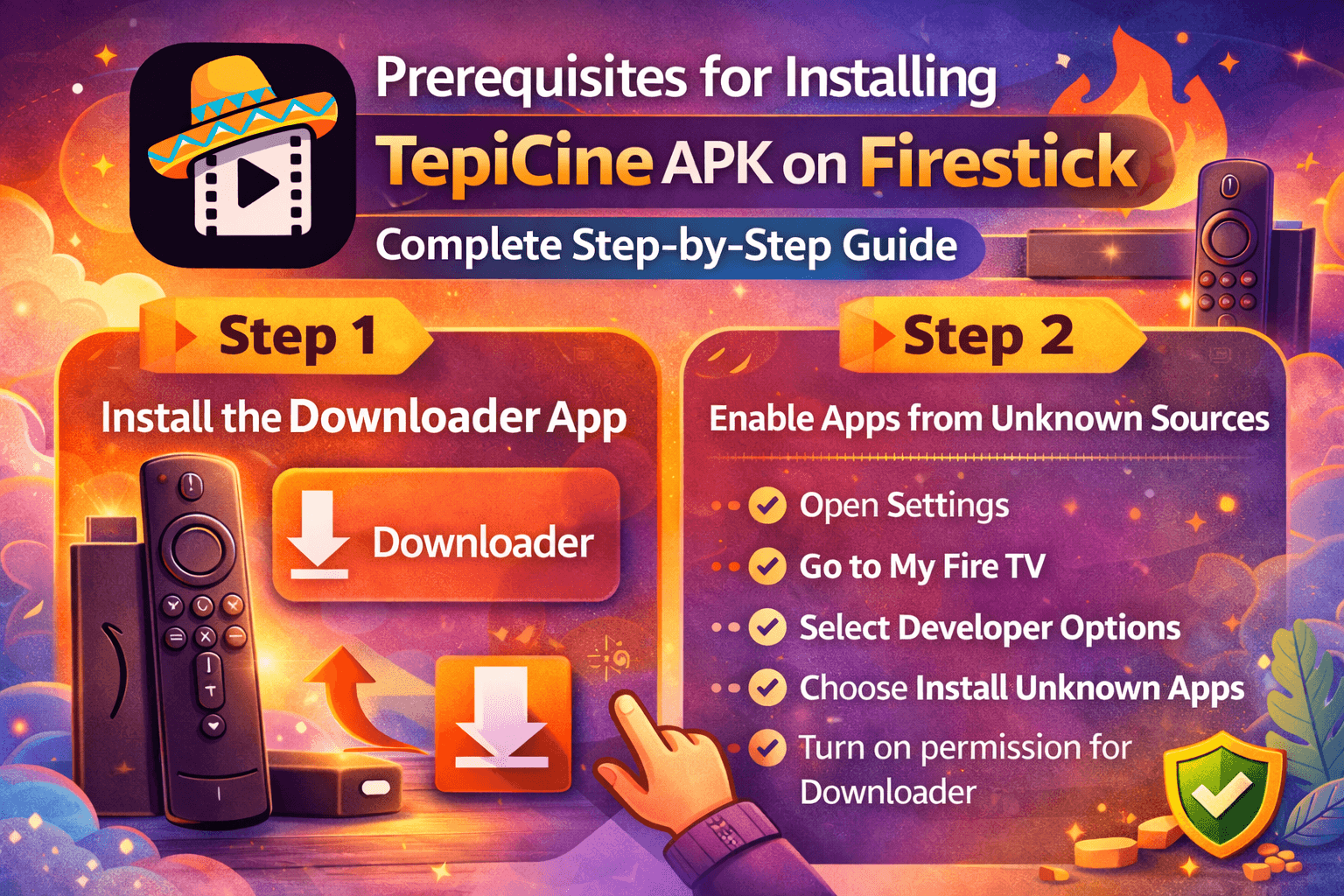
Step 1: Install the Downloader App
TepiCine is a third-party app. It is not in the Amazon Appstore.To install it, you need the Downloader app.
To install Downloader:
Open the Amazon Appstore on your Firestick
Search for “Downloader”
Select the app and install it
Downloader is an essential tool for installing third-party APKs directly on your Firestick.
Step 2: Enable Apps from Unknown Sources
Before installing the APK file, you must allow your Firestick to install apps from outside the store.
Follow these steps:
Open Settings
Go to My Fire TV
Select Developer Options
Choose Install Unknown Apps
Turn on permission for Downloader
Now your device is ready to install the app.
How to Download and Install TepiCine on Firestick
You can install TepiCine on Firestick using the Downloader app in a few easy steps. Once installed, you can open the app and start watching movies, shows, and live sports on your TV.
Launching Downloader and Entering the URL
Open the Downloader app on your Firestick. In the search box, enter the secure download link for the latest version. Use only the download link provided on our official website to ensure you install the latest and safest version of the APK.
After entering the link, press Go to start the download.
Downloading and Installing the APK
The file will begin downloading. When the process finishes, an installation screen will appear.
Select Install and wait for the process to complete. Once done, the app will be ready to use on your Firestick. Many users also search for descargar TepiCine during this step to confirm they have the correct version.
Deleting the Installation File (Space Saving)
After installation, click Done instead of Open. The Downloader app will ask if you want to delete the APK file.
Choose Delete to free up storage space. Firestick devices have limited memory, so removing the setup file helps keep the system fast.
TepiCine Premium Benefits for TV Users
Claim Your 5-Day Free Premium Trial
New TV users can get a special promotion after installing TepiCine. The app offers a free 5-day Premium trial. During this period, you can watch without ads and access all content.
This lets you test the full experience before deciding to subscribe.
Multi-Device Login and Screen Sharing
Free users usually watch on one device at a time. Premium users can connect their account to multiple devices.
With a Premium plan, you can stream on up to three phones and two TVs at the same time. This makes it easy for families to watch different shows in different rooms without interruptions.
Conclusion
Installing the TepiCine APK on your Firestick is quick and simple. Once done, you can enjoy a large collection of movies, shows, anime, and sports on your TV. Grab your remote, follow the steps, and start watching today. The big screen experience makes entertainment more enjoyable for everyone at home.
FAQs
Is TepiCine free to use on an Amazon Firestick?
Yes, most content is free with ads. If you want no ads and extra features, you can upgrade to Premium.
How do I switch audio tracks while watching on my TV?
While playing a video, open the player settings using your remote. From there, you can change the audio track easily.
How do I update the TepiCine app on my Fire TV?
Open the app and accept any update message. You can also install the newest APK again using Downloader to replace the old version.
Can I use TepiCine on multiple Firestick devices?
Yes, you can install TepiCine on more than one Firestick in your home. If you use a Premium account, you can watch on multiple devices at the same time.
What should I do if the app is not working on my Firestick?
First, restart your Firestick and check your internet connection. If the problem continues, reinstall the app or update to the latest version to fix errors.